
Branded reports
Agency users can turn a detection into a shareable, branded audit page — ideal for outreach to prospects and clients.
Set your brand once
In Brand Profile, add your agency name, logo URL, contact, and website. Every report you create is stamped with these details and a call-to-action that points back to you.
Create and share a report
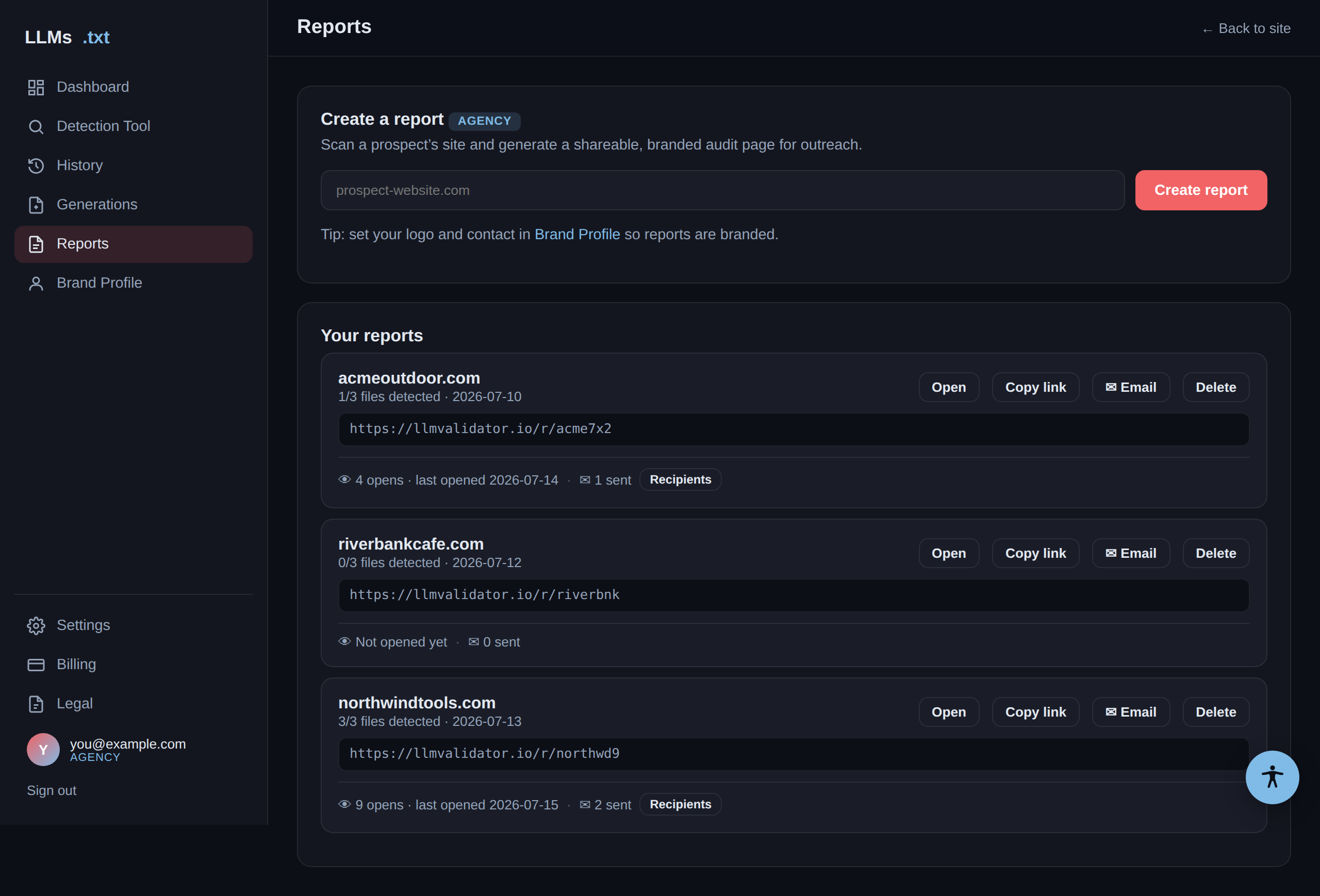
In Reports, enter a prospect's URL and click Create report. You
get a public link (on llmvalidator.io) you can open, copy, or email.
Email it and track engagement
Click Email on a report to send it to a client — the subject and message are pre-filled and editable, and replies come back to your brand contact. Each report shows its activity: how many times the link was opened, when it was last opened, and who it was sent to (open the Recipients list to see addresses and dates).
| Signal | What it means |
|---|---|
| Opens | Real (non-bot) opens of the report link. Link-preview scrapers are filtered out. |
| Last opened | The most recent time someone viewed the report. |
| Sent | How many recipients you've emailed it to, with addresses under Recipients. |
What the client sees
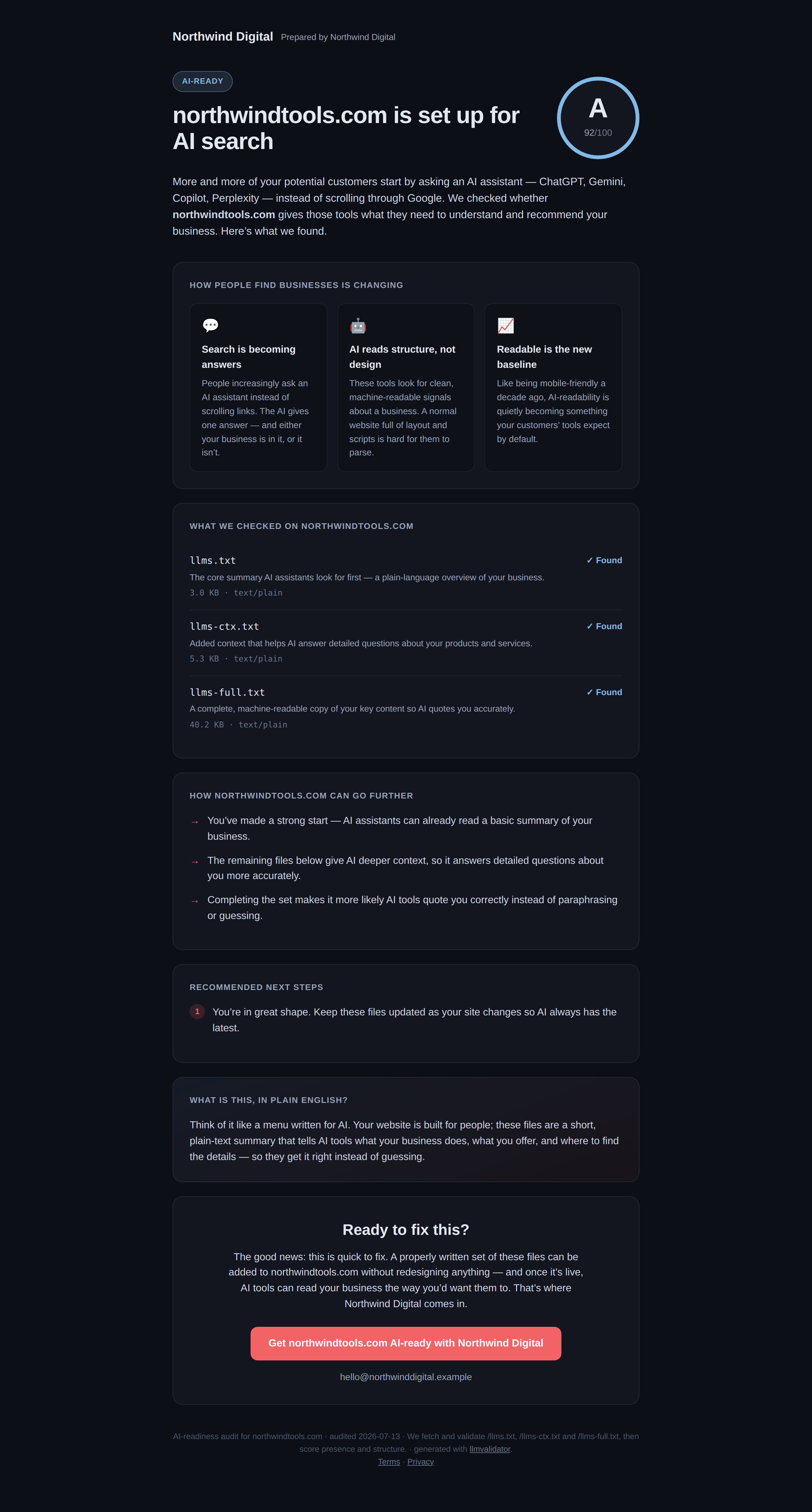
The public report shows an overall AI-readiness score and grade, exactly which files were found or missing (with sizes), plain-English recommendations, and your branding.