
Detecting & generating files
The detector tells you what a site is missing; the Generations tab (Agency plan) writes the missing files for you with AI.
Detect what a site has
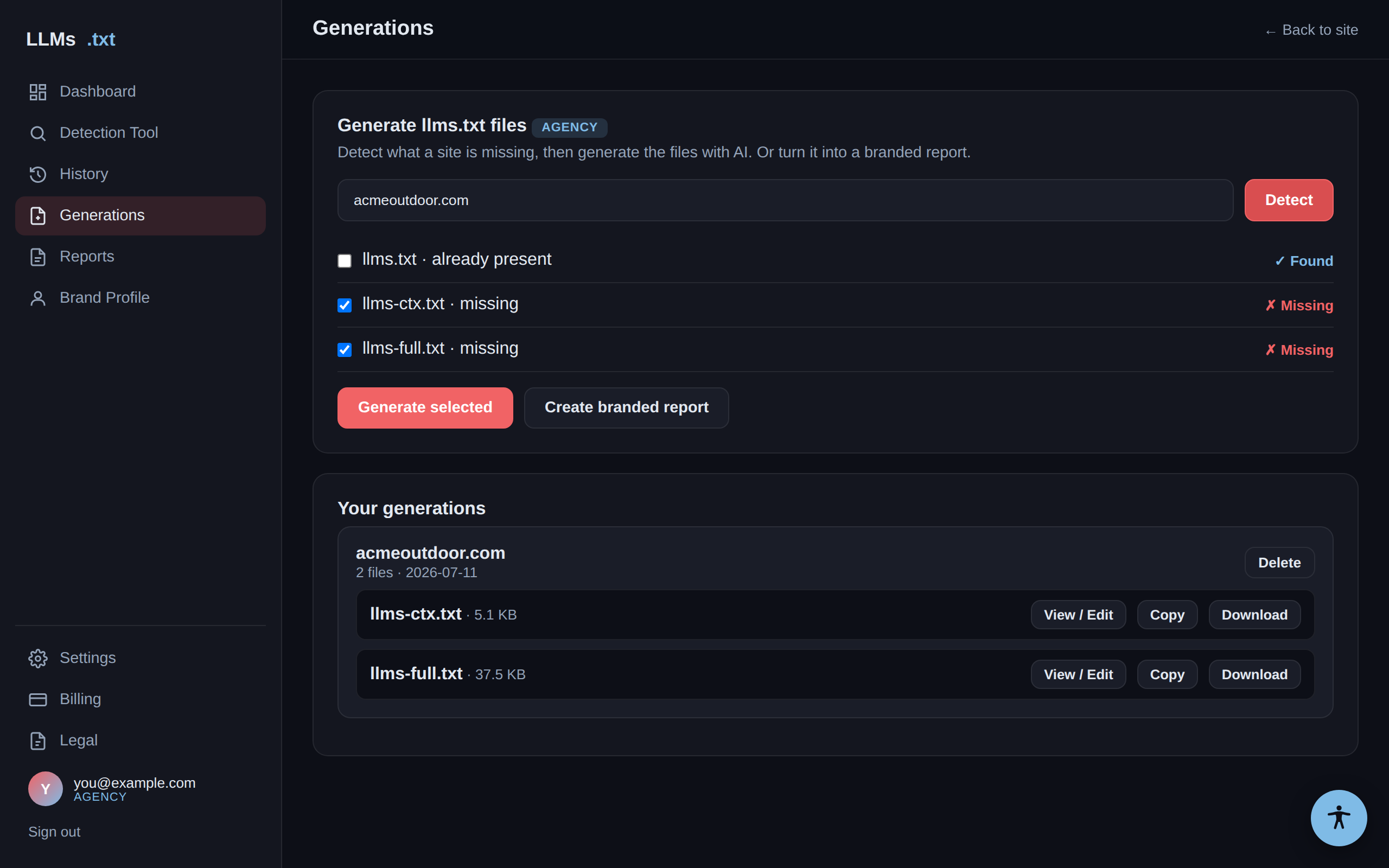
In Generations, enter a domain and click Detect. You'll see which of the three files are present or missing, with the missing ones pre-checked for generation.
Generate the missing files
Tick the files you want and click Generate selected. We crawl the site and use AI
to write each file. When it's done, the files appear under Your generations, where you
can copy or download them. On the Agency plan, llms-ctx.txt and llms-full.txt
are included — no per-file charge.
View and edit
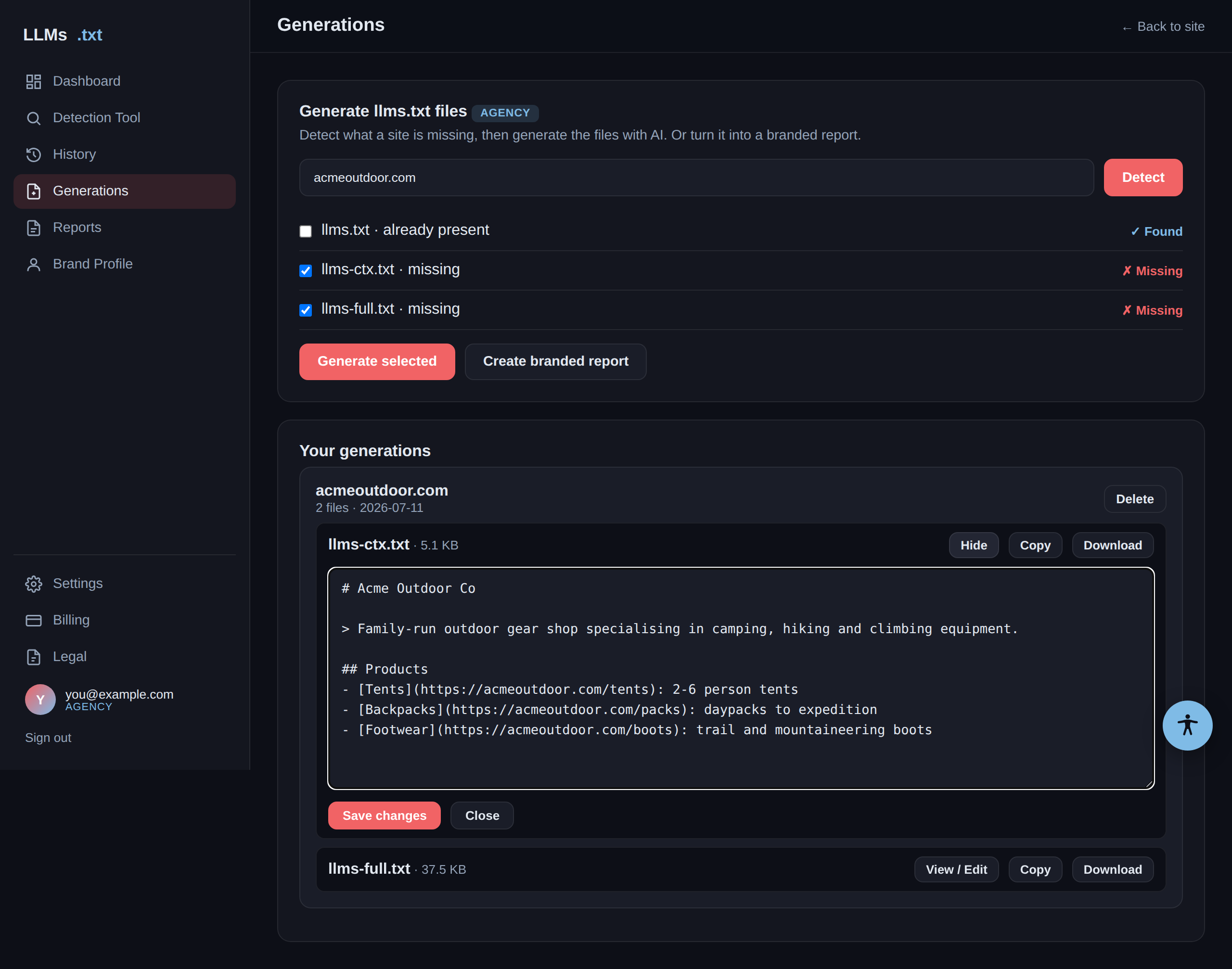
Click View / Edit on any generated file to read it in place and tweak the wording, then Save changes. Copy and Download always use your latest saved version.
Tip: Generation time depends on the site's size — a large
llms-full.txt takes longer because we read more pages. Generating several files at once
runs them in parallel.