
Validating a file
The validator checks a file against the llms.txt specification and reports errors, warnings, and a full structural breakdown.
Three ways to provide a file
- Fetch from URL — enter a site and we retrieve its
/llms.txt. - Paste content — paste the file text directly.
- Upload file — drag in a
.txtor.mdfile.
Pick the file type (llms.txt, llms-ctx.txt, or llms-full.txt)
before you validate, since size limits differ.
Reading the results
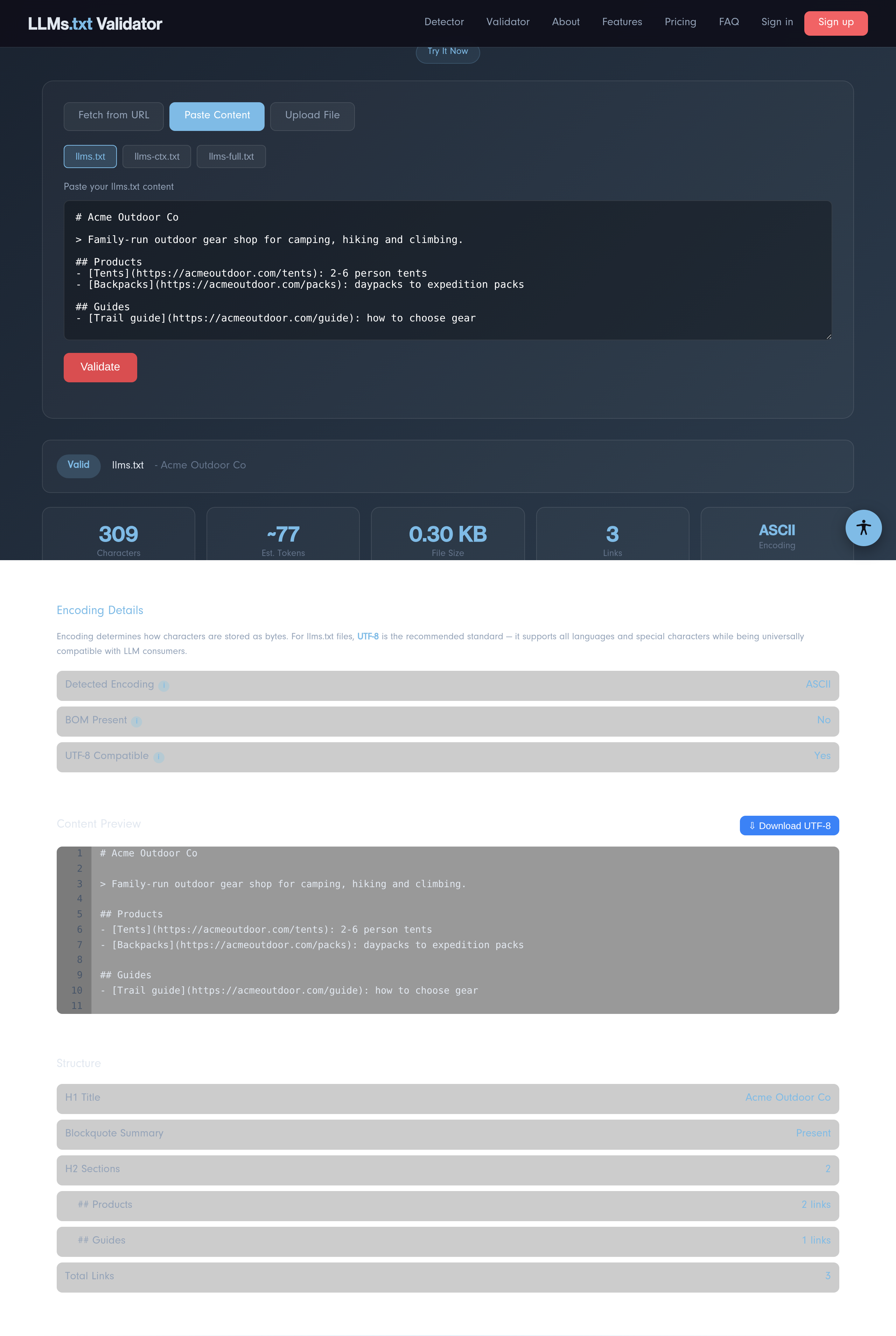
A green Valid badge means no errors. Below it you get:
- Stats — characters, an estimated token count, file size, link count, and detected encoding.
- Encoding details — whether the file is UTF-8 and whether it carries a byte-order mark.
- Content preview — your file with line numbers; error and warning lines are highlighted.
- Structure — the H1 title, whether a summary blockquote is present, each H2 section and its link count.
Tip: Errors block validity (for example, a missing H1 title); warnings
are best-practice suggestions (like a missing summary). Fix errors first.